GPS Watch Pacing Pitfalls in a Half Marathon

Your GPS watch keeps flashing wildly different paces mile to mile even when your effort feels completely steady — and it's throwing off your whole race plan. Your watch's "instant pace" is a rough estimate recalculated every second or two from a noisy GPS signal, and it will jump around by 20-40 seconds per mile even when your effort hasn't changed at all. Set your primary data screen to lap pace or a 30-second rolling average instead — below is why that works, why your watch will read over 13.1 miles no matter what, the specific spots on a course that scramble your signal, and the settings and glance routine that keep you from reacting to noise.
Chase a bad number for even a mile or two and you've spent energy you can't get back at mile 11 — a phantom surge to "fix" a pace that was never actually off costs exactly as much as a real one. Get comfortable with what your watch can and can't tell you, and it stops being a source of panic and starts being one more tool you trust.
Trust Lap Pace, Not Instant Pace
This is the single change that matters most, so it's worth repeating with the mechanics behind it. Instant pace recalculates every one to two seconds from raw GPS data, and raw GPS data is noisy by nature — small variations in satellite reception show up as big, meaningless swings on your wrist.
Lap pace and average pace smooth that noise out. You lose a few seconds of responsiveness, but you gain a number you can actually trust and react to, which matters far more over 13.1 miles than shaving those few seconds off your reaction time.
Instant Pace vs. Lap Pace vs. Average Pace
These three numbers measure genuinely different things, and knowing which is which stops you reacting to the wrong one mid-race.
| Metric | What It Measures | Reliability |
|---|---|---|
| Instant pace | Recalculated every 1-2 seconds from raw GPS | Highly volatile, easily misleading |
| Lap pace | Your pace since the last manual or auto lap | Stable, race-relevant, trustworthy |
| Average pace | Your pace for the entire race so far | Useful for overall goal tracking, slow to reflect a recent change |
Why Your Watch Won't Match the Official 13.1 Miles

A certified course is measured along the shortest legally tangent line, and almost no runner in a crowded field ever runs that exact line. Add roughly 1% GPS signal error on top of your actual extra distance, and a watch reading 13.2 to 13.3-plus miles on a perfectly run course is completely normal.
Trust the course's painted mile markers over your watch's cumulative distance count when the two disagree. The marker is measured against the certified course. Your watch is measuring something related, but not identical.
Race-Day Error Sources: Corrals, Turnarounds, Tunnels, Buildings
Four specific course features cause predictable GPS errors, and each has a specific fix. Dense start corrals block and bounce the signal — pace readings are unreliable for the first 400-800m, so ignore pace entirely until the field thins.
Out-and-back turnarounds cause a brief pace spike or drop right at the turn — wait 20-30 seconds for the signal to settle before you react to anything. Tunnels and underpasses make pace read erratically or freeze entirely — glance at effort, not the watch, until you're back under open sky. Tall buildings and urban canyons cause persistent multi-path error that can compound to 0.1-0.2 miles of extra distance over 13.1 miles.
I once coached an athlete who panicked at a sudden pace spike coming out of a tunnel and surged unnecessarily to "correct" it — only for the watch to fix itself 30 seconds later on its own. He'd reacted to noise, not a real pace change, and it cost him energy he needed later.
Settings That Actually Improve Real-Time Accuracy
Two settings changes genuinely help, beyond just picking the right data field. Switch from GPS-only to multi-band or multi-satellite mode — GPS plus GLONASS plus Galileo — where your watch supports it. This measurably reduces urban-canyon drift.
Increase the pace-smoothing or averaging window in your data screen settings from the default, often just 3-5 seconds, to a longer 20-30 second window for race day specifically. It's a small change most runners never touch, and it makes a real difference.
A Simple Mid-Race Protocol: What to Glance at and When

Here's my own mile-by-mile glance routine, offered as a concrete, testable system rather than the generic advice to "not stare at your watch." Miles 1-2, glance at lap pace only, and ignore cumulative distance entirely — it's meaningless this early anyway.
Miles 3-10, check lap pace at each mile marker and compare it against the marker, not against your watch's own distance count. In the final 5K, switch your primary attention to effort and breathing, using lap pace only as a confirmation check every half mile.
Training Your Internal Pacing Sense as a Backup
During 2-3 training runs before race day, cover your watch face with a wristband or run pace-blind for a mile, then check the actual split afterward. This builds the effort-to-pace calibration you'll need for the moments your watch genuinely can't be trusted.
Runners who've never trained this skill panic the moment the watch goes quiet in a tunnel. Runners who have simply keep running on feel until the signal comes back.
Frequently Asked Questions

Why does instant pace jump around so much?
Instant pace is recalculated every one to two seconds from a raw, noisy GPS signal, so tiny fluctuations in satellite reception show up as big swings on your wrist. It can jump 20-40 seconds per mile even when your actual effort hasn't changed at all.
Should I trust lap pace or instant pace during a race?
Lap pace, every time. Set your primary race-day data field to lap pace or a 30-second rolling average instead of instant pace — both are far more stable and only lag your true pace by a few seconds, which is a trade worth making.
Why did my watch measure more than 13.1 miles?

A certified course is measured along the shortest legally tangent line, and almost no runner in a crowded field runs that exact line. Add roughly 1% GPS signal error on top, and a watch reading of 13.2 to 13.3+ miles on a perfectly run course is normal, not a fault.
Do running the tangents reduce GPS error?
Running the tangents reduces your actual distance covered, which is always worth doing regardless of your watch. It won't fix GPS signal error itself, though — that's a separate source of the extra distance your watch shows, caused by the satellite signal rather than your line through the course.
Why are my pace readings wrong right after the start or a turnaround?
Dense start corrals block and bounce the GPS signal, making pace readings unreliable for the first 400-800m — ignore pace entirely until the field thins out. At out-and-back turnarounds, expect a brief pace spike or drop right at the turn; wait 20-30 seconds for the signal to settle before reacting.
What about tall buildings or tunnels?

In tunnels or underpasses, pace will read erratically or freeze — glance at effort, not the watch, until you're back under open sky. In urban canyons between tall buildings, persistent multi-path GPS error can compound to 0.1-0.2 miles of extra distance over a 13.1-mile course.
Should I change my satellite settings before a race?
Yes, if your watch supports it. Switch from GPS-only to multi-band or multi-satellite mode — GPS plus GLONASS plus Galileo — where available, which measurably reduces urban-canyon drift on a course with tall buildings or dense tree cover.
Are footpods or running power meters more reliable than GPS?
For instant pace stability, generally yes — a calibrated footpod isn't dependent on satellite reception, so it doesn't suffer the same corral, tunnel, or urban-canyon errors. It needs proper calibration to your stride first, or its own numbers will simply be wrong in a different way.
How much lag is normal between real pace and watch pace?
A few seconds is normal and expected, even with lap pace or a rolling average. That small lag is the trade-off for a stable, trustworthy number instead of instant pace's second-by-second noise, and it's a trade worth making on race day.
What should I actually look at on my watch during a half marathon?
Follow a three-part glance routine. Miles 1-2, glance at lap pace only and ignore cumulative distance. Miles 3-10, check lap pace at each mile marker against the marker itself, not your watch's own distance count. In the final 5K, shift primary attention to effort and breathing, using lap pace only as a confirmation check every half mile.
Some Other Pages You May Like
About the author
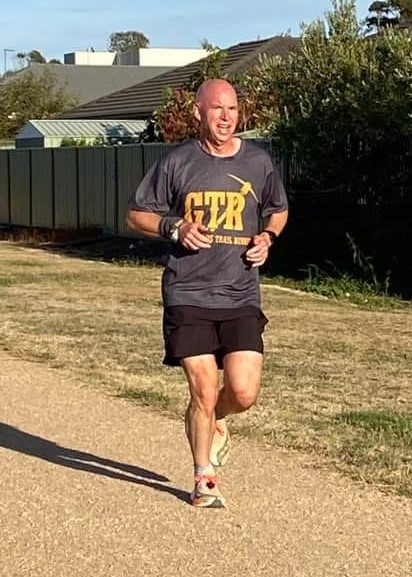
Dominique de Rooij (Dom)
Advanced Running Coach certified by Athletics Australia with 20 years of writing about running and over a decade coaching runners — from first-timers to marathoners. Dom's beginner programs have guided thousands of runners and been praised above plans from Jeff Galloway, Hal Higdon, and Runner's World. Now over 50, Dom still loves trail running, parkrun, and the coffee after.
Free weekly coaching • Join 3,500+ runners
Train Smarter, Not Just Harder
Get your free guide when you join the BRT Coaching Letter
No spam, ever. Unsubscribe in one click, any time.
What's New?
-
Personalized Running Coaching - BRT | Run Smarter, Race Better
 Get a personalized running program built around your current fitness, goals, and schedule - not a generic app template. Choose from BRT Silver, Gold, or Platinum coaching with Dom, accredited running…
 -
Sample 4-Day Marathon Training Week: Base to Taper
A full 4-day-a-week marathon training schedule, phase by phase - base, build, peak, and taper - with named workouts and weekly mileage. -
Marathon Taper for a 10-12 Week Training Cycle
How to taper correctly on a compressed 10-12 week marathon plan - the right taper length, why standard advice doesn't fit, and the week-by-week structure.